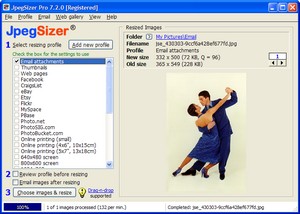
Resize Photos Easily
|
"The single best bit of software I have bought since Photoshop."
Pete
Cronin, professional photographer, London
|
Image files from digital cameras and scanners are far too large to send over the
Internet. They take forever to download, especially on a dial-up
connection. With JpegSizer, you can shrink photos and dramatically reduce
transfer times.
Download
times with a typical dial-up connection
| |
|
|
| |
Original
2MB image from digital camera |
|
| |
8
minutes |
|
| |
Same
image resized by JpegSizer |
|
| |
|
12 seconds |
|
| |
|
|
|
Start
resizing photos now!
Applications
JpegSizer
offers a simple, fast and flexible method for resizing batches of image files for
Email attachments
Web pages
Photo-sharing
web sites
Online photo-printing services
eBay and other auction sites
Slide shows
Office documents and presentations
High-quality enlargements
As well
as resizing your photos, JpegSizer lets you add borders, captions and
watermarks. The built-in emailer and web gallery builder put your resized images
to work right away.
Versions
and Prices
JpegSizer
comes in three versions (details here):
Home ($19.95 USD). Provides a quick and easy resizer to meet the needs of
amateur photographers, eBayers and the like.
Pro ($34.95 USD). Provides the extended features needed by power users such as
advanced photographers and webmasters. Includes free lifetime software
updates.
Plus ($69.95 USD). Adds automation and other capabilities to
the Pro version.
During the FREE
15-day trial period, you can evaluate all versions and decide which one best meets your
needs.
Start
resizing photos now!
Learn
More
Compare
the versions of JpegSizer
Important
things to know about JpegSizer
Detailed
features and benefits
Screenshots of JpegSizer in action
A
DLL version of JpegSizer is also available for developers
Back
to top
|