Why Image Resizing is Important
Today's
Image Files
Image files from your digital camera or scanner
are far too large to send over the Internet. These original files take forever to
download, especially on a dial-up connection.
A good size for email attachments or web page images is 50KB (kilobytes), but
many digital
cameras produce JPEG files of about 4MB (megabytes). That's 4,000KB, or 80
times too large!
Download
times with a typical dial-up connection
| |
|
|
| |
Original
4MB image from digital camera |
|
| |
16 minutes |
|
| |
Same
image resized by JpegSizer |
|
| |
|
12 seconds |
|
| |
|
|
|
 These problems arise most often when you send images as email attachments, add
them to web pages or upload them to a web site such as eBay.
These problems arise most often when you send images as email attachments, add
them to web pages or upload them to a web site such as eBay.
If you post images to photo sharing web sites, you'll
find that they won't accept files above a certain size.
If
you create illustrated documents with MS Word, PowerPoint or other office applications, large image files result in huge document files
that are unsuitable for sending to others.
If you distribute your original hi-res images, you are inviting unauthorized use or copying.
For all these
reasons, it is essential to resize original images before using them for
these tasks. Sending giant original files will quickly make you unpopular
or drive visitors away from your web site.
Why
are original image files so large?
Original
image files are huge for two reasons:
They contain many more pixels than you
need to display images on a computer screen. Most won't even
fit on the screen without scaling, forcing people to scroll around.
Your original images are not compressed
very much, in order to preserve image quality. Remember, with JPEG files
you can trade-off file size for image quality. See details here.
More
pixels and less compression is necessary for displaying large, high-quality
images. But you don't need this for most purposes other than printing.
Resizing images
involves reducing the
pixel dimensions and using higher JPEG compression. Both of these actions
reduce file sizes dramatically. Doing the job right
actually requires additional steps, such as re-sharpening.
Speed
and Efficiency
Many image editing programs will let you resize
images and save them with higher compression, but they are very tedious
to use, especially when you have batches of images to prepare.
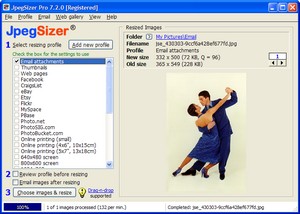
JpegSizer automates
the process in a very efficient way, so that getting your images ready for
the Internet is really fast and simple.
|